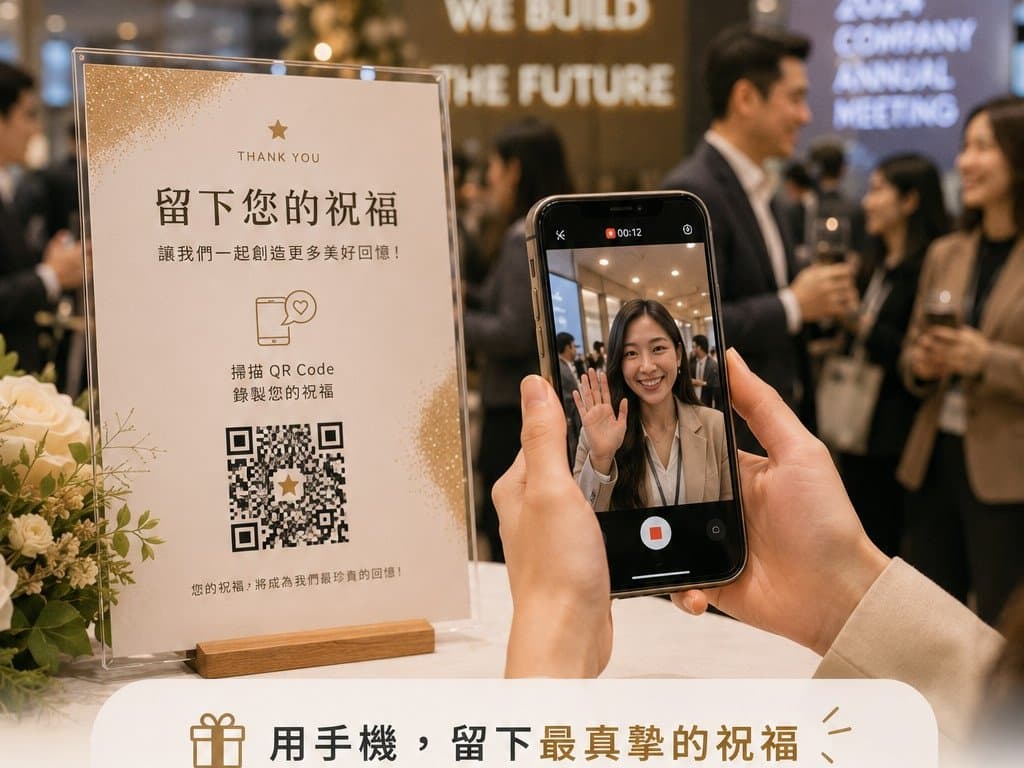
Video Guestbook · Video Message Booth
Every phone becomes a guestbook.
You don't need one machine and a long queue to collect wishes. Pixanity's video guestbook is a video message booth that lives on every guest's phone — each guest records a message on their own device, voice and video saved together into one shared event album you can replay any time.
- No queue — everyone records at once — Every guest records on their own phone, never limited by a single device
- No app, no equipment — Opens straight from a QR code in the browser or LINE — nothing to set up on site
- One shared event album — All wishes collected in one album, delivered as a private link after the event
Overview: who it's for & what it solves
The video guestbook is a phone-based video message booth: guests scan a QR code and record straight from the browser — no app, no queue, no recording gear on site. Voice and video are saved together into one shared event album, delivered to the organiser as a private link after the event, browsable and downloadable clip by clip. Ideal for weddings, corporate events and company Dinner and Dance (DND), anniversaries and farewells, islandwide across Singapore.
What is a video guestbook (video message booth)?
In Singapore, a video guestbook — also called a video message booth or video wishes booth — is usually a single station where guests queue to record a short message. Pixanity's version is the phone-based kind: guests record video messages on their own phones, preserving wishes, reflections and event memories in full. A guest opens the system from a QR code, speaks to their camera, and the clip uploads instantly — no app download needed.
Unlike a traditional audio guestbook or a fixed video booth that needs guests to queue at one device, the video guestbook lets everyone record at the same time, while the organiser browses entries live; everything is collected into one shared event album and delivered as a private link after the event.
It is not only for weddings. At corporate events the same system collects year-in-review messages at a company Dinner and Dance (DND), staff shout-outs at an anniversary, colleague send-offs at a farewell, or visitor feedback at a roadshow or exhibition booth. Clips can loop on the big screen as a live video wishes wall, and the album becomes ready-made footage for a recap film or internal comms.
Years later, that message still plays
The hugs end when the event does — but a thirty-second video message keeps. A grandparent's advice, a colleague's joke, the words a best friend barely got out — each clip keeps the picture, the voice and the air of that exact moment, in a way no guestbook page ever could.
A guest scans the table-top QR standee and records their wishes on their own phone
Scan, record, and it's saved
Opens from a QR code — no app download. We set the system up before the event; no operators needed on site.
Scan to open
Guests scan the on-site QR code and the guestbook opens right in the browser.
Record a message
Speak to your own phone camera — add a playful AI filter or leave a voice-only message; voice and video are saved together.
Into the album
Clips upload instantly, collect into one shared event album, and can play in sync on the on-site big screen.
Delivered after
We organise everything into a private link for the organiser — browse and download clip by clip.
Why collect wishes with a video guestbook?
Everyone records at once
No single-device bottleneck — every guest records on their own phone, zero queueing.
Voice and picture together
Full video with sound — warmer and more alive than any written card.
Zero-friction entry
Opens straight from the browser, no app download — easy even for grandparents.
One shared album
All wishes in one place; the organiser can browse and download any time.
The video guestbook in 30 seconds
Three short clips from real events: what it is, how guests record, and what they say afterwards.
What the video guestbook is
It feels like an incoming call: guests record a video message on their own phone — no queue, no equipment.
How it works: scan to send in a minute
Scan the table card QR or open the LINE menu, answer the call, record video or audio, send when happy — no app download.
What guests say
Fun, no queue, just pick up the phone and speak — straight from guests who recorded.
One QR code and the guest’s own phone is the entire kit
Photographs from events we ran, covering what this service actually needs on site — and why people say more honest things when nobody is holding a camera on them.
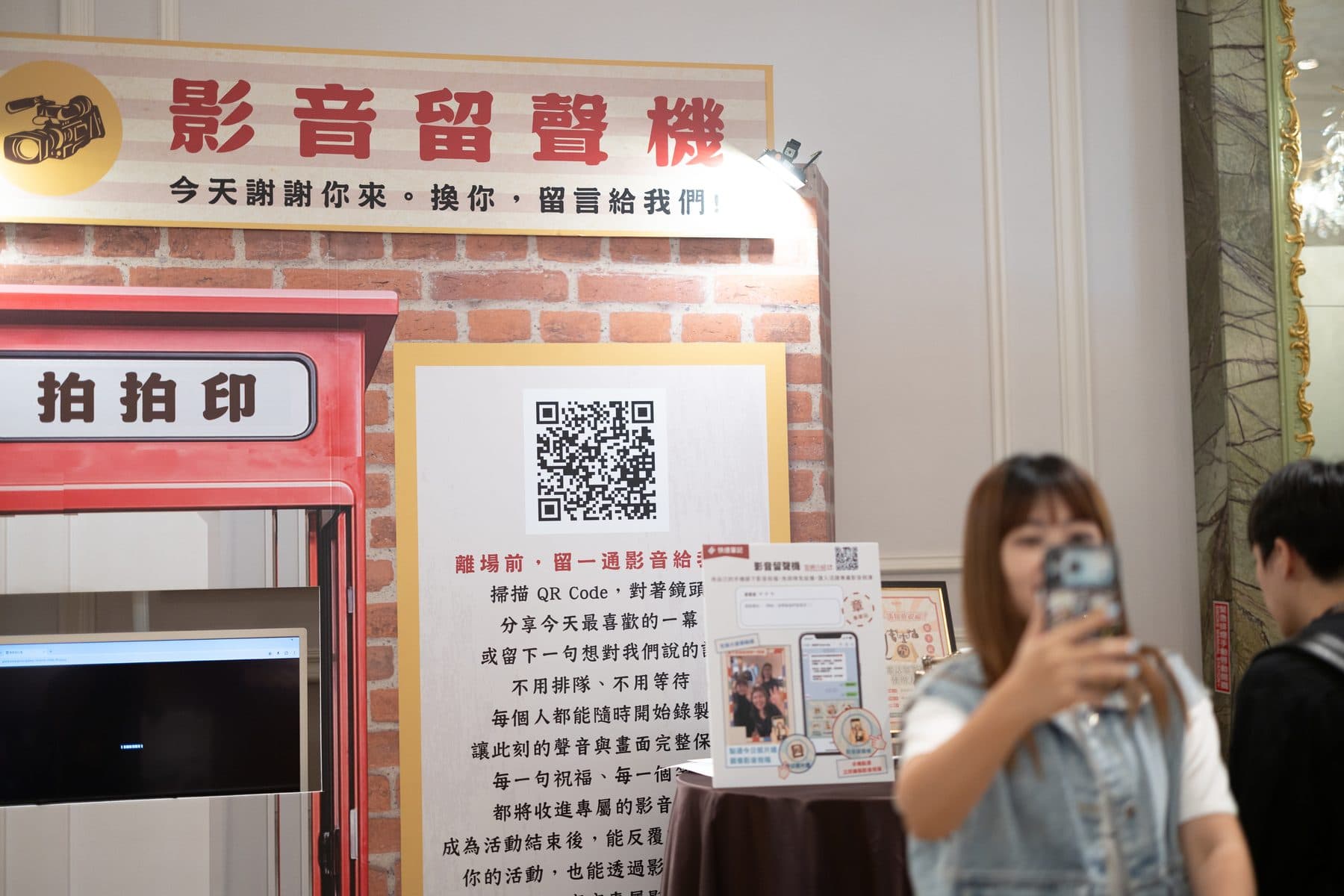
One QR code and the guest’s own phone is the entire kit
The board lists three steps: scan the QR on your way out, face the camera, say the one thing you liked most today. Guests record on their own phone — no queue for a machine, no headset, no operator standing over them. That is the real difference from a videographer chasing people with a rig: with nobody watching, people relax and actually say something. Every clip lands in the back office automatically and can be cut into a single recap film after the event.
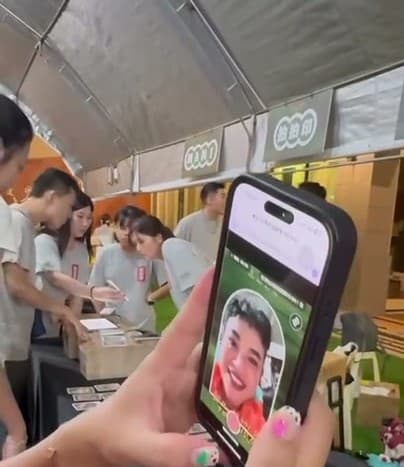
Pick up your phone and you are recording
There is exactly one action: talk to the camera on your own phone. No queue for a machine, no leaning into someone else's device — guests holding a phone they already know relax and actually speak. Crew only need to start them off rather than stand there throughout. The zone also belongs on the way out: by then guests have been through everything and have something specific to say, whereas at the entrance you mostly record “hello everyone”.
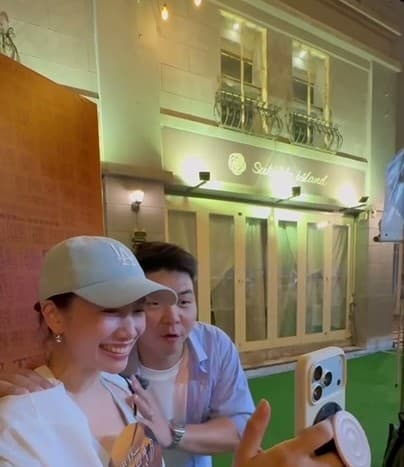
The only guidance needed is the opening line
Crew tell guests “scan this QR code and just talk to your phone”, then step away. Someone standing over you is exactly what stops people saying anything honest, so guests can find their own corner and record with friends, with nobody watching.
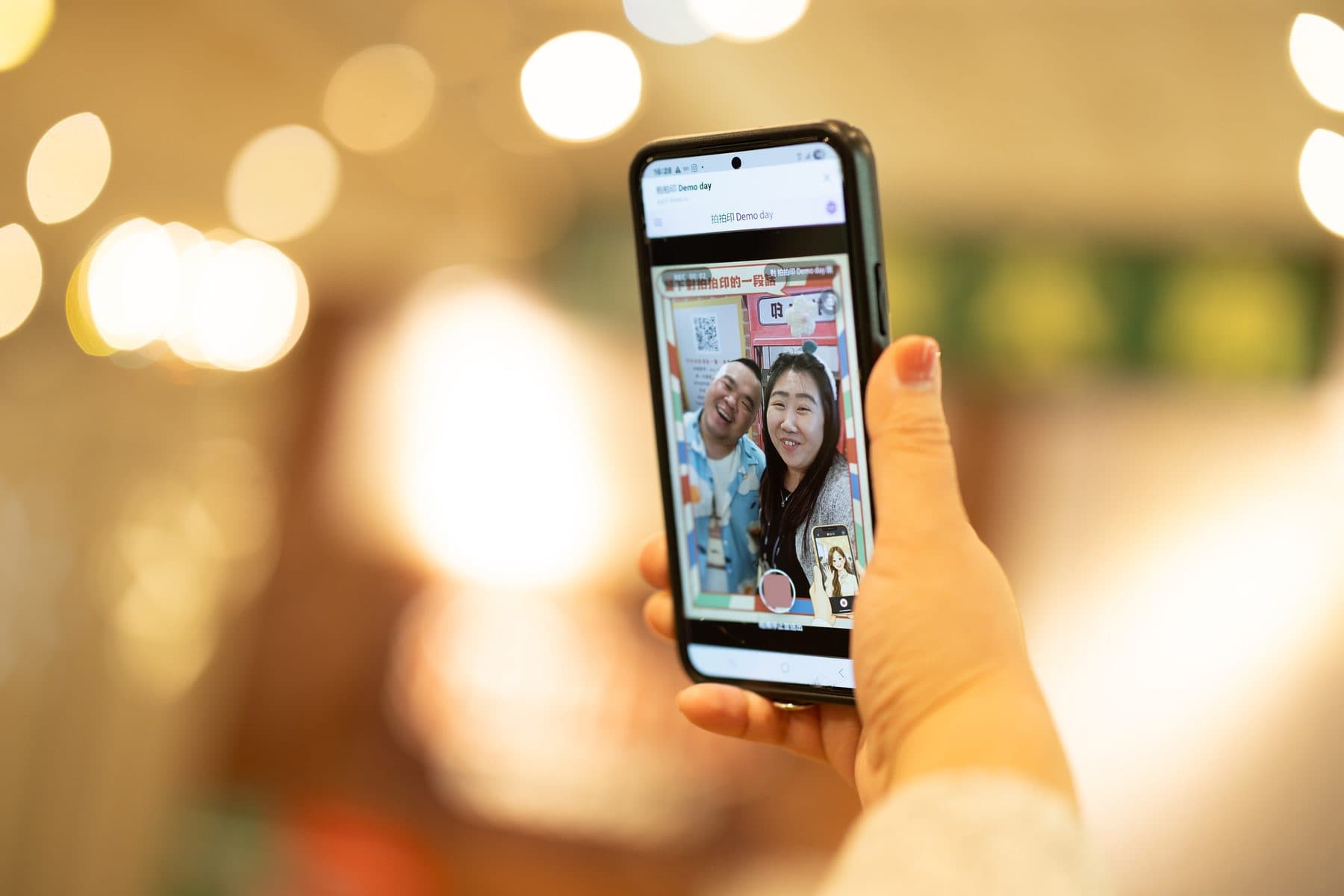
This is what recording looks like
What the guest sees is this, on their own phone — no app, no sign-up, scan and record. Clips land in the back office automatically and can be cut into a full recap film afterwards. For an organiser it is the only record of what people were actually thinking on the day.
Video guestbook vs audio guestbook phone vs videographer vox-pops
Three ways to capture guest messages — and how they differ on queues, equipment, how natural guests sound, and what you get afterwards.
| Compare | Pixanity video guestbook (phone-based video message booth) | Audio guestbook phone / fixed video booth | Videographer collecting vox-pops |
|---|---|---|---|
| How guests record | Scan a QR code and record on their own phone — the whole room at once | One device, guests queue and take turns | Videographer approaches table by table, one group at a time |
| On-site equipment | Mobile data or Wi-Fi only — no recording gear | Machine delivery, setup and power | Videographer plus camera and audio kit |
| How natural guests sound | Nobody watching — people say more honest things | A queue waiting behind you cuts messages short | A camera pointed at you makes guests tense up |
| Picture and sound | Video and voice together; voice-only optional | Mostly audio only, or limited picture quality | High quality, but limited by one person's time |
| Live display | Clips can loop on the big screen as a video wishes wall | Usually only playable after the event | Usually only viewable after editing |
| After the event | One shared album plus a private link — browse and download clip by clip | A single audio file or a machine export | Waits for editing; longer turnaround |
Video guestbook — service spec
- Service scope
- System setup, shared event album, post-event organising and private-link delivery
- How guests take part
- Scan a QR code and record on their own phone in the browser — no app download
- What gets recorded
- Video or voice-only messages, with optional AI filter interaction; voice and video saved together — wishes, reflections or messages to the organiser
- Output
- Clips downloadable one by one; the organiser can browse the album any time
- Delivery
- A private link organised and delivered by Pixanity after the event
- On-site needs
- Just mobile data or Wi-Fi — no recording equipment, usually no on-site operator
- Preparation
- System configured by Pixanity before the event
- Quotation
- Project-based on event date, scale and customisation
How is the video guestbook priced?
Custom-quoted; the price mainly depends on the factors below. Share your event date and estimated headcount for a fast estimate.
- Event scale and estimated guests
- Interface and visual customisation
- Bundling with other interactive services
- Album organising and delivery format
Why choose Pixanity's video guestbook?
- A battle-tested interactive platform — stable even with many guests recording at once
- No app, no equipment, no queue — the lowest barrier to join
- Voice and video saved together into one shared event album
- Post-event delivery as a private link, browsable and downloadable clip by clip
- Pairs naturally with our photo booths and mosaic wall at the same event
Video guestbook — FAQ
The questions organisers ask most about the video guestbook — how it works, recording, storage and on-site needs.
It lets guests record video messages on their own phones, preserving wishes, reflections and event memories in full.
Traditional devices need guests to queue at one machine and make it hard to review entries live; the video guestbook lets every guest record on their own phone at any time, with no queueing.
They open the system straight from a QR code in the browser — a LINE-based flow is also available for events that use it.
No — it works directly in the browser or LINE.
No — guests record entirely on their own phones.
The system saves voice and video together — wishes, reflections or anything they want to tell the organiser.
Yes — besides video, voice-only messages are supported, so guests can choose whichever they prefer.
Yes — the system offers interactive AI filters guests can apply while recording, simple to use and adding a playful touch.
Yes — clips upload instantly and can play in sync on the on-site big screen so the whole room shares the wishes.
No. Everyone records on their own phone at the same time, never limited by a single device.
Yes — clips can be downloaded one by one once recorded.
Yes — all guest recordings collect into one shared event album for easy browsing and safekeeping.
After the event, Pixanity organises everything into a private link for the organiser, who can also log in any time to browse and download clip by clip.
Guests use their own phones, so the venue only needs mobile data or Wi-Fi. We configure the system before the event; recording equipment and on-site operators are usually unnecessary.
Same idea, different setup. A video message booth or video wishes booth in Singapore is usually one fixed station guests queue for; the Pixanity video guestbook runs on every guest's own phone, so everyone records at once, and the clips can loop on the big screen as a live video wishes wall.
Typical uses: year-in-review messages at a DND, staff shout-outs at an anniversary, send-offs at a farewell, and visitor feedback at a roadshow or exhibition booth. The album doubles as footage for a recap film or internal comms.
Custom quote, based mainly on event scale and headcount, interface customisation, whether it is bundled with other interactive services, and how the album is organised and delivered. Share your date and headcount for a fast estimate.
Service areas
The video guestbook (video message booth) is an online system available for events islandwide across Singapore — weddings, company Dinner and Dance (DND) nights, corporate celebrations and roadshows — and pairs naturally with our on-site interactive services.
Explore more interactive services
Want to keep every wish from the whole room?
Tell us your event date and scale — we'll turn every video message into an album worth replaying.
Get a quote